

Use Website Monitoring as a Client Onboarding Offer
How agencies can use a short website monitoring engagement to show new clients they care about site performance, then move on and reuse the same slot for the next client.
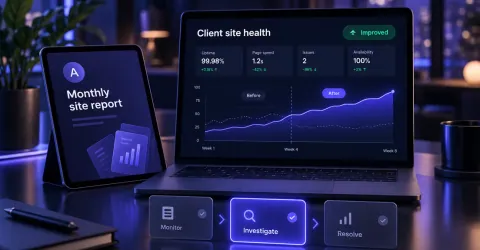
The first few weeks with a new client decide a lot. They are watching to see whether you notice problems before they do, and whether the work you do shows up in something they can see.
Most agencies handle this with a kickoff call and a deck. There is a more convincing option: watch the client's site from day one, and give them evidence.
The short answer: offer new clients a short site health onboarding, for a month, a quarter or as long as it is useful. Monitor the site, send them a branded report every week, show a before-and-after summary at the end, then move on and use the same slot for your next client.
Why it works
- It proves you care before you have delivered anything big. A baseline report in week one shows you looked closely at their site straight away.
- It gives you something concrete to talk about. "We found two slow pages and a missing page title" is a better conversation than "we'll keep an eye on things".
- It is easy to repeat. The same simple structure works for every new client, so it does not eat your time.
- It sets up what comes next. Whether the client moves on to an ongoing care plan or you simply hand the site back in better shape, the evidence is already there.
What the client gets
- A baseline in week one. How real visitors experience the site today, which pages are slowest, and what Google's lab tests flag.
- A branded report every week. The weekly report carries your name and branding and can be emailed straight to the client as well as to you, so they see what changed without you forwarding anything.
- Weekly checks for changes. A weekly check of up to 50 pages flags things like a page set to noindex, a broken link or a title that changed, with before and after.
- A summary at the end. What was found, what was fixed and how the numbers moved, ready to put in front of the client.
What you do each week
Not much, and that is the point. Five minutes with the dashboard is enough:
- Skim the weekly report for anything that needs attention.
- Open the dashboard to see which page and which device is behind it.
- Pick one thing to fix or mention to the client.
A simple timeline
| When | What happens |
|---|---|
| Week 1 | Add the monitoring script. Baseline report goes to you and the client. |
| Weeks 2 to 4 | Weekly reports. Fix the obvious problems and note what changed. |
| Month 2 | Check the trend. Flag anything that keeps coming back. |
| Final week | Before-and-after summary. Agree what happens next. |
The length is up to you. A month suits a quick check-up. Three months gives a real trend to show.
When the engagement ends
When you are ready to move on, the steps are short:
- Remove the monitoring script from the client's site.
- Un-assign the client from your account.
- Tell us.
We then permanently delete the site and all the data stored for it, and its slot is free for your next client. If you want a copy of everything first, ask before we delete: we export all of the site's data and report summaries and email them to you as a zip file.
What it costs
Plans are priced by the number of websites you monitor, and every feature is on every plan. Reusing a slot for each new client keeps the cost per client low. For example, on Agency 10 (£99 a month for 10 websites), monitoring a new client for three months works out at about £30, if you reuse the slot straight away. See agency pricing for the current plans.
A few things to keep in mind
- Be careful what you promise. Monitoring shows you problems and progress. It does not guarantee search rankings or a particular score, so promise the work, not the result.
- Agree what "done" means. Tell the client up front how long the engagement lasts and what they will have at the end.
- Decide what comes next before you start. Ongoing care, a hand-over to their developer, or simply ending the monitoring are all fine, as long as you have said which.
How Web Vitals Collector fits
It is built for exactly this: real-visitor performance, PageSpeed findings and weekly site checks in one dashboard, with white-labelled reports under your own brand. You can see what the client receives in our sample report, read how it works for agencies on our agencies page, or see what happens when you stop monitoring a site in the FAQ.
Monitoring and reports are automated estimates and are not a guarantee of search ranking or performance.